
How to create a business plan cover page
Are you an entrepreneur facing the challenge of writing your own business plan? You've probably already researched and found out what goes into an IHK business plan. Maybe you've even written a few sentences. But what about the cover page?
In this article we show you how to design your own cover page or how to find a suitable template for it. We have also provided several free downloadable templates – no sign-up required.
1. What a convincing cover page for your business plan looks like
A good first impression is essential – so far, so good. But how should a cover page be designed in order to convince bankers, investors, and business partners?
Lenders only grant loans and investments to people who project a sense of safety through competence, professionalism, and unique business concepts. In short: you and your business model need to earn the trust of the lenders.
You can showcase your skills on the cover page in several ways:
Separate what is important from what is not
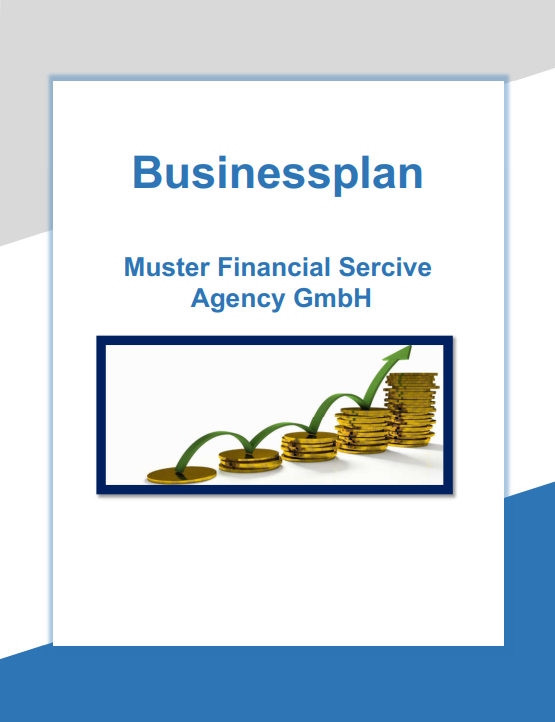
Rule of thumb: as much as necessary, as little as possible. Detailed content does not belong on a cover page; it should be addressed in the text and financial sections. At first glance it should be clear: what kind of document is this? What is your company called and what does it do?
A suitable photo, a logo, a short explanatory sentence, or a well-placed company slogan works well here.

Professional design
The design of your cover page should look clean and professional. Headings should be centered and easy to read from a distance. Choose a standard typeface without too many flourishes. Inserted images and slogans should also be clearly visible and placed symmetrically to your headings.
Color scheme
Any color scheme should harmonize with the rest of the cover page. Make sure the key content is not lost due to poor contrast or unfortunate color choices. The free tool Coolors can be very helpful for this.
Choosing an image
If you use an image, it should not be overloaded but instead focus on one or two objects. Sometimes small changes have a strong effect, such as a frame around your image or a varied font and size. Try things out and see what you like!
On platforms such as Pexels or Pixabay you can download great photos for free and edit them with graphics tools like Canva.
Diligence
Make sure you do not make any careless mistakes. One small typo is enough to ruin that good first impression. Have other people proofread the finished cover page!
Individuality
Aim for an individual and unique design to capture attention. This includes a curiosity-arousing logo, an expressive image, or an interesting company slogan. Alternatively, you can experiment with the color scheme (careful – not too much!).
Use templates
A wide range of free templates is available for cover pages.
Suitable options include templates available directly in Word, or templates you can use on the free online graphic design tool Canva.
2. Designing a cover page for your business plan – step by step
If you have a knack for design, you can create your own cover page with the knowledge you have just gained.
As a general rule: the heading and company name are the most decisive factors. Accordingly, they should occupy the largest and most central space. Then add your individual signature element below your headings. Your basic concept is already in place! Vary the font size, typeface, placement, and image design, and add a design template to make your cover page perfect!
If your strengths lie in other areas, that is no disaster. Try out design templates or seek help and have the cover page designed professionally!